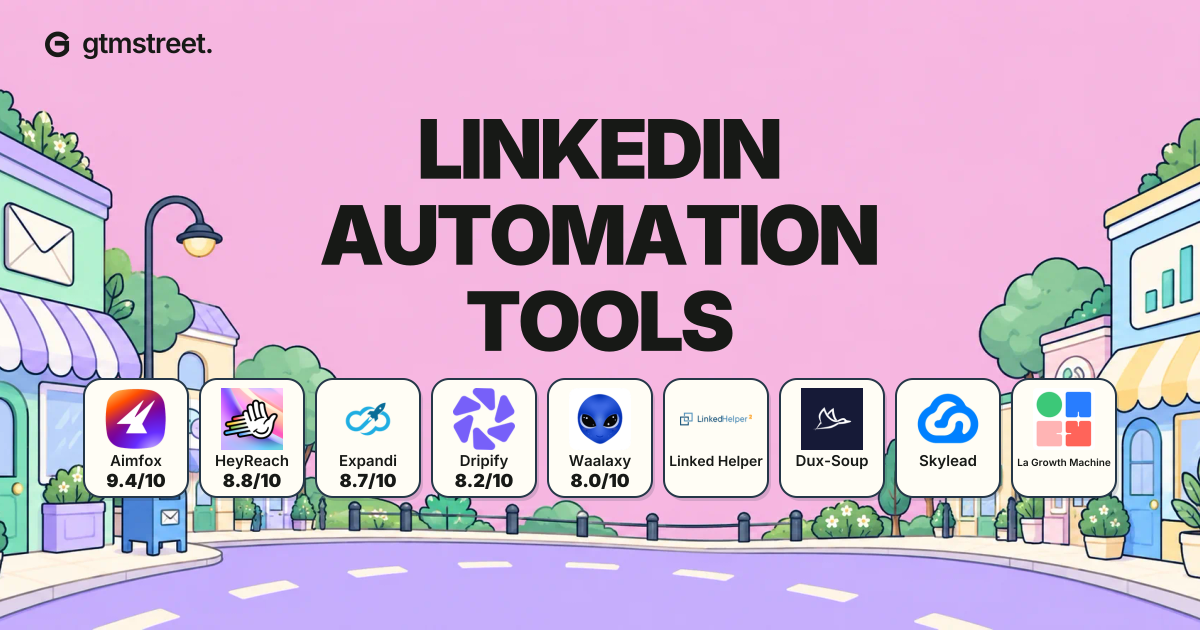
Aimfox is our top pick among LinkedIn automation tools because it combines shared campaigns with AI personalization and the option to rent outreach profiles through Avatars. We’ve compared nine tools below, including the plans you’ll need and the alternatives that suit different teams.
Our picks for different outreach needs
- Choose Aimfox as our best overall option for shared LinkedIn campaigns, with Avatars available when you need rented sending profiles.
- Compare HeyReach when your agency already has its sending accounts and wants separate client workspaces with shared reply handling.
- Consider Linked Helper when a low subscription price matters more than having outreach run independently of your computer.
- Choose Skylead when you’re buying LinkedIn and email automation together and want contact preparation included in the same tool.
Compare the plans you would actually use
| Rank | Tool | Most useful for | Relevant price and billing | Main reason to compare another option |
|---|---|---|---|---|
| 1 | Aimfox | Best overall; shared campaigns with optional rented profiles | Outreach Seat: US$49/seat/month; Avatars: US$387/month for 3 profiles and seats | Avatars are a separate purchase and stay inside Aimfox |
| 2 | HeyReach | Managing LinkedIn outreach for clients | Growth plan: US$79/sender/month, billed monthly below ten senders | Email sending requires another platform |
| 3 | Expandi | Adapting follow-ups to prospect actions | Business plan: US$99/account/month, billed monthly | Some personalized media costs extra |
| 4 | Dripify | Running several campaigns and answering replies | Pro plan: US$79/user/month, billed monthly | The US$59 Basic plan allows only one campaign |
| 5 | Waalaxy | Building outreach from sequence templates | Pro plan: EUR39/user/month, billed monthly | Email requires Business; Inbox is a separate add-on |
| 6 | Linked Helper | Keeping subscription costs low | Local Standard plan: US$15/license for one month | The device running campaigns must remain available |
| 7 | Dux-Soup | Choosing between browser and hosted execution | Turbo plan: US$55/user/month, billed monthly | Hosted execution requires the US$99 Cloud plan |
| 8 | Skylead | Combining LinkedIn and email in one campaign | All-in-one plan: US$100/seat/month | AI enrichment and AI SDR are paid add-ons |
| 9 | La Growth Machine | Sharing email and LinkedIn conversations across a team | Pro plan: EUR120/identity/month, billed monthly | Native HubSpot/Pipedrive synchronization requires Ultimate |
Which features come with each tool?
The tools differ in where they run campaigns and how they handle email. A cloud service can continue outreach after you shut your laptop, while browser or desktop execution depends on a running device. For email, a native feature sends inside the product; an integration connects a separate sending service.
Reply handling deserves its own comparison because sending and answering messages aren’t always included in the same plan. The matrix below identifies the relevant inbox or add-on, rather than treating every product’s reply features as equivalent.
| Rank | Tool | Campaign execution | LinkedIn follow-ups | Email sending | Where you handle replies |
|---|---|---|---|---|---|
| 1 | Aimfox | Cloud; own accounts or rented Avatars | Native shared campaigns and AI message variables | Integration with EmailBison | Unified LinkedIn inbox |
| 2 | HeyReach | Cloud | Native sequences | Partner integrations, including Instantly | Unified LinkedIn inbox |
| 3 | Expandi | Cloud | Native conditional sequences | Native email steps | In-product inbox |
| 4 | Dripify | Cloud | Native sequences; one campaign on Basic | Native email sequences | Dedicated inbox on Pro or higher |
| 5 | Waalaxy | Cloud; extension used for setup/imports | Native sequence templates | Native on Business | Paid Inbox add-on |
| 6 | Linked Helper | Desktop application | Native sequences | Through connected email software | Built-in chat |
| 7 | Dux-Soup | Browser on Turbo; hosted on Cloud | Drip campaigns on Turbo or Cloud | Third-party integrations | Central inbox on Turbo or Cloud |
| 8 | Skylead | Cloud | Native smart sequences | Native email sequences | Smart Inbox; agency unibox is separate |
| 9 | La Growth Machine | Cloud | Native sequences | Native email sequences | Multichannel inbox included on Pro |
1. Aimfox
Best for: Teams and agencies that want shared LinkedIn campaigns with AI personalization and optional rented outreach profiles.
Aimfox is our first choice because it brings account rental into the same platform you use to run LinkedIn campaigns. Its Avatars service supplies rented profiles for outreach, so you can add senders without needing another colleague’s account. You can also connect accounts your team already manages and answer their conversations in the unified inbox.
Those accounts can share a campaign through Aimfox’s search and worker roles. A search account finds the audience while worker accounts send the outreach. For example, one account with a separate Sales Navigator subscription can find prospects for several sending accounts. Once a worker sends a connection request or InMail, the prospect stays assigned to that sender.
To personalize the outreach, AI Variables use information from the sender’s and prospect’s profiles. You can keep your offer fixed while asking AI to write the introduction. Aimfox’s Model Context Protocol (MCP) connection also lets a compatible external AI assistant add selected leads to campaigns and work with conversations. Together, these features let you connect an assistant’s prospect research to outreach through an Avatar. Your team still sets up the campaign and handles replies.
The Outreach Avatar package costs US$387 per month for three profiles and their three outreach seats. You don’t need to add three US$49 seat subscriptions to that package.
If you’re using accounts you already manage, an Outreach Seat costs US$49 per month instead. Aimfox’s Agency plan starts at US$499 per month for 20 seats, with additional seats at US$20 each.
Aimfox creates its rented profiles for outreach; they aren’t accounts belonging to real employees. Names and photos can’t be changed, and the profiles stay inside Aimfox. Rentals typically involve purchases covering several months with non-refundable payments, so confirm the total commitment before buying.
We’d choose Aimfox over HeyReach when rented profiles will be part of the campaign or when its shared campaigns and agency pricing suit the accounts you already have. Email still needs a separate sending platform, such as one connected through Aimfox’s EmailBison integration. If you want email and LinkedIn sending in one subscription, compare Skylead as well.
2. HeyReach
Best for: Agencies that need to organize outreach across several clients’ LinkedIn accounts.
Handling a client’s replies becomes awkward when their messages sit among conversations for other clients. HeyReach gives you separate client workspaces for campaigns and connected accounts. Your team can then use its unified inbox to answer LinkedIn messages without repeatedly logging into each account.
For an agency that already uses Instantly or Smartlead, HeyReach can supply the LinkedIn part of an existing outreach process. Its email connections use those separate platforms, so you can keep the email software you’ve already chosen. If you’re buying both channels for the first time, include the second subscription when comparing HeyReach with a combined tool.
HeyReach charges for each sender on its Growth plan, which includes unlimited campaigns and a unified inbox. With monthly billing, HeyReach charges US$79 per sender per month below ten senders and US$59 per sender at ten or more. Count the LinkedIn accounts that will send messages, because a client with several sending accounts needs more than one seat.
For a larger group of accounts, HeyReach’s Micro Agency plan provides 25 sender seats for US$999 a month. It adds a shared seat pool across client workspaces and white labelling. We’d choose that bundle when you need those agency features and can use the included seats; a small team should compare its total with the Growth plan’s price first.
3. Expandi
Best for: Sellers whose next message depends on how a prospect responds to an earlier step.
Two prospects don’t always need the same follow-up. Someone who accepts your connection request can receive a different message from someone who hasn’t accepted yet. Expandi’s conditional sequences let you build those different routes into a campaign, so the next step can reflect the earlier interaction.
Expandi’s Business plan combines LinkedIn actions with email steps and runs them in the cloud for US$99 per account per month with monthly billing. We’d choose it when its sequence conditions let you send the different follow-ups your prospects need.
For a simple connection request followed by a standard message, you may have less use for that flexibility. A less expensive product could cover the sequence you need. Choose Expandi because its branching supports your messages, rather than assuming a more elaborate campaign will produce better replies.
Personalized media can add to Expandi’s subscription cost. Some image and GIF features cost extra, while personalized video uses a paid Sendspark integration. If a particular media example attracts you to Expandi, include the necessary add-on before comparing its price with Skylead’s included image personalization.
4. Dripify
Best for: Individual sellers who need several campaigns and an inbox for their replies.
Running different offers for different audiences gives you a reason to choose Dripify’s Pro plan. It lets you keep those campaigns separate while answering their replies through a dedicated inbox.
To build those campaigns, Dripify’s sequence builder lets you combine LinkedIn and email actions with delays and conditions between steps. You can then compare the campaigns’ progress in its reports without combining the audiences into one sequence.
Dripify’s Basic plan costs US$59 per user per month with monthly billing and includes one campaign with cloud execution. Dripify’s Pro plan costs US$79 on the same terms, adding unlimited campaigns and a dedicated inbox for an extra US$20 per user per month. If one campaign covers your outreach and you don’t need that inbox, the Basic plan may be enough.
Managing other sellers requires a separate plan decision because Dripify includes its team-management features in the Advanced plan. If you’re buying for a team, compare that plan before purchasing several personal subscriptions. Our Dripify alternatives comparison explains when a different shared inbox or account setup justifies switching.
5. Waalaxy
Best for: Sellers who want to start with a ready-made outreach sequence.
Waalaxy can help when you know who you want to contact but don’t want to design an outreach sequence yourself. Waalaxy’s prebuilt sequences give you a starting structure for LinkedIn outreach. You can concentrate on choosing the prospects and writing the messages that belong in that sequence.
To bring those prospects into Waalaxy, you’ll use a browser extension for parts of the setup and importing process. The extension doesn’t mean every campaign depends on Chrome staying open. Once the account is connected, Waalaxy’s cloud service can continue outreach with your computer off.
Waalaxy’s Pro plan costs EUR39 per user per month with monthly billing. The Advanced plan costs EUR99 on the same terms and adds API access and automation integrations, an increase of EUR60 per user per month. The Advanced plan therefore matters when you need its API or automation integrations to connect Waalaxy to other software.
Adding email requires Waalaxy’s Business plan at EUR139 per user per month with monthly billing. That’s EUR40 more than the Advanced plan, but it still doesn’t include the separate Inbox add-on. If you want email and dedicated reply management together, compare the total with a subscription that bundles both.
6. Linked Helper
Best for: Solo operators who want a low subscription cost and can keep a desktop application running.
Linked Helper trades the convenience of hosted execution for a low starting price. Its Local Standard plan costs US$15 for a one-month license and runs on your computer. That can suit a solo operator who is comfortable keeping the application and its device available for campaigns.
The device requirement matters as soon as you shut down for the day. Outreach running on that computer stops too, even though you’ve already set up the sequence. If you need campaigns to continue independently of your laptop, compare a hosted tool or budget separately for a device you can keep running.
For buyers who accept local execution, Linked Helper’s Local Standard plan includes sequences and contact management with a built-in chat. It limits some advanced actions and exports. Moving to the Local Pro plan raises the one-month license cost to US$45, an extra US$30 to weigh against the additional allowances.
The license also determines how many accounts you can run at once. One license covers one active LinkedIn account, although you can transfer it between accounts. Several simultaneous senders therefore need several licenses.
Linked Helper’s cloud data storage changes where you store and share a workspace. Paying for that storage won’t keep campaigns running after you switch off the device executing them, so it doesn’t replace a hosted automation service.
7. Dux-Soup
Best for: Buyers who want to choose between running campaigns in a browser and paying for hosted execution.

Dux-Soup lets you choose between campaigns that run in your browser and campaigns hosted off your computer. You can pay less for the browser approach, then move to cloud execution if keeping a device running becomes inconvenient.
For complete drip campaigns, Dux-Soup’s Turbo plan is the useful starting point. It costs US$55 per user per month with monthly billing and includes centralized reply handling. The cheaper Pro Dux plan starts at US$14.99 per user per month on monthly billing, but it doesn’t include that same drip-campaign workflow.
With the Turbo plan, you can manage prospects across several campaigns while the automation runs through your browser. That suits a seller who is happy to keep the browser available. If you regularly switch off the machine running it, the Cloud plan becomes the closer match.
Dux-Soup Cloud retains the campaign functionality and moves execution off your computer. It costs US$99 per user per month with monthly billing, an extra US$44 compared with Turbo. You’re paying that difference for hosted execution, so use the US$99 figure when comparing tools that run without your laptop.
Email still connects through other systems rather than becoming a native Dux-Soup sending channel. If your campaigns also need email, add that separate subscription before comparing Dux-Soup with a tool that includes both sending channels.
8. Skylead
Best for: Sellers setting up LinkedIn and email outreach together.
Skylead lets you prepare contacts and reach them through LinkedIn and email inside the same product. Its email finder and verifier support contact preparation, while smart sequences decide the next outreach step using prospect actions. That combination is useful when you’re starting both channels and want fewer separate tools to connect.
Skylead’s All-in-one plan costs US$100 per seat per month and includes cloud execution with a Smart Inbox. Image and GIF personalization are included too. If personalized images are part of your intended campaign, that inclusion gives you a concrete comparison with Expandi’s additional media costs.
An existing email subscription can make Skylead less compelling. If you want to keep that platform, part of Skylead’s sending functionality may duplicate what you already have. A focused LinkedIn subscription such as Aimfox may then be a better use of the budget.
Skylead charges separately for AI data enrichment and its AI SDR, despite the All-in-one plan name. Include those add-ons in your comparison if they’re the features you intend to use.
For agencies, the inbox across all client conversations belongs to Skylead’s agency offering. It is separate from the ordinary Smart Inbox included with an individual seat. We’d compare the agency package with HeyReach when your team needs to answer messages across several clients’ accounts.
9. La Growth Machine
Best for: Teams that need to share email and LinkedIn conversations around the same lead.
Answering a lead gets harder when their email history sits apart from their LinkedIn messages. La Growth Machine’s multichannel inbox groups those conversations around the lead. A colleague helping with replies can then follow the exchange across both channels before writing back.
For billing, La Growth Machine calls the person running outreach through connected accounts an “identity”. It charges for each identity, while a colleague who only helps answer messages doesn’t automatically need another paid identity.
For a seller running several campaigns, La Growth Machine’s Pro plan costs EUR120 per identity per month with monthly billing. It includes six active campaigns and five sending email accounts per identity, together with the multichannel inbox your team can use to share reply handling.
La Growth Machine’s Basic plan costs EUR60 per identity per month on monthly billing and allows three active campaigns. If you need four audiences running separately at the same time, you’ll need the Pro plan for an extra EUR60 per identity per month.
For native synchronization with HubSpot or Pipedrive, La Growth Machine’s Ultimate plan costs EUR180 per identity per month with monthly billing. Budget for the extra EUR60 over the Pro plan when you need sent messages and replies written into either CRM.
What will your full outreach workflow cost?
Suppose one seller needs four campaigns running at the same time and wants to answer replies inside the tool. The campaigns must also continue after that seller turns off their laptop, so the chosen plan needs hosted execution as well as campaign and inbox access.
A one-campaign allowance won’t accommodate those four separate audiences, and a browser-based campaign won’t keep running on a switched-off computer. The comparison below therefore uses the plan that meets all the example’s requirements.
| Rank | Tool | Entry price | Plan or setup needed for this example | Difference on monthly billing |
|---|---|---|---|---|
| 4 | Dripify | Basic: US$59/user/month | Pro: US$79/user/month for unlimited campaigns and an inbox, with cloud execution | US$20 more per user/month |
| 7 | Dux-Soup | Pro: US$14.99/user/month | Cloud: US$99/user/month for drip campaigns, an inbox and hosted execution | US$84.01 more per user/month |
| 9 | La Growth Machine | Basic: EUR60/identity/month; three active campaigns | Pro: EUR120/identity/month; six active campaigns and a multichannel inbox | EUR60 more per identity/month |
| 6 | Linked Helper | Local Standard: US$15/license for one month | A separate running device or separately managed hosting is still needed | A license upgrade alone doesn’t meet the computer-off requirement |
Linked Helper’s cloud storage leaves execution on your device. Its license price therefore isn’t directly comparable with a hosted subscription unless you also account for the device that will keep its campaigns running.
For this seller, we’d compare Dripify’s Pro plan at US$79 per user per month with Dux-Soup’s Cloud plan at US$99 per user per month on monthly billing. Both cover the example’s campaign and execution requirements. Dux-Soup’s cheaper Pro plan would make the comparison misleading because it doesn’t provide the same workflow.
La Growth Machine’s Pro plan also covers the four campaigns and shared inbox requirement. At EUR120 per identity per month with monthly billing, it is worth including when the seller will use the inbox to handle both email and LinkedIn conversations.
To price your own outreach, write down the campaigns that must run together and how you’ll answer their replies. Find the plan that supports both before comparing subscription costs. That way, you won’t choose a low entry price only to discover that the features you need require an upgrade.
How to choose between your final two tools
Start with the people who will send messages, because they determine both the seat count and the account organization you need. A solo seller may have little use for separate client workspaces. An agency should examine how its team will move between clients and handle their conversations before choosing a subscription.
Once the account requirements are clear, decide whether to keep your current email platform. Keeping it makes a focused LinkedIn tool such as Aimfox or HeyReach more relevant. Replacing it gives you a reason to compare combined sending tools such as Skylead and La Growth Machine.
If you also want AI to research prospects or answer replies, our AI SDR tools comparison separates those capabilities from campaign automation.
The decision about email also affects the integrations you need. Exporting contacts to a customer relationship management system, or CRM, is different from automatically synchronizing replies with it. Name the action you want the integration to perform and check that the relevant plan supports that action.
During a trial, follow a prospect through the sequence you intend to use. Change a follow-up message and find the conversation where you’d answer their reply. You can then weigh the two tools against the same needs.
Our LinkedIn review protocol explains the criteria behind the detailed product reviews. If you also need to find the prospects you’ll contact, the LinkedIn tools collection covers that earlier part of the process.
Frequently asked questions
What do LinkedIn automation tools do?
They handle repeatable outreach actions such as sending connection requests and follow-up messages. Some also include email sequences or an inbox for the conversations those campaigns generate. Check that the product sends outreach, because a tool for finding prospects or scheduling LinkedIn posts serves a different purpose.
Are there free LinkedIn automation tools?
Free trials let you try some of these products before buying a subscription. Aimfox offers 14 days, while Dripify offers seven. Before starting, identify the paid plan that supports your intended campaigns so you know what continuing after the trial would cost.
What is the cheapest LinkedIn automation tool in this list?
Dux-Soup Pro has the lowest advertised entry price here at US$14.99 per user per month with monthly billing. Linked Helper Local Standard is close at US$15 for a one-month license. Compare their execution requirements and campaign features before choosing, because Dux-Soup's drip campaigns require Turbo or Cloud and Linked Helper needs a running device.
Can LinkedIn automation run when my computer is off?
A hosted cloud service can continue campaigns after you switch off your computer. Browser and desktop automation depend on the device running them, so those campaigns stop when that device is unavailable. Cloud data storage is a separate feature: Linked Helper's storage service does not host its automation, while Dux-Soup sells hosted execution through its Cloud plan.
Which LinkedIn automation tool is safest?
None of these comparisons establishes that a tool is restriction-proof. LinkedIn says it does not allow third-party software that automates activity on its website. A vendor's cloud hosting or activity controls do not establish LinkedIn approval or guarantee that an account will avoid restrictions.
Which LinkedIn automation tool would we choose?
Aimfox is our top recommendation for LinkedIn automation. Its shared campaigns and AI personalization cover the outreach itself, while Avatars gives teams a way to add rented sending profiles. Start with Outreach seats if you already have the accounts, or compare the Avatar package when you need profiles too.
HeyReach remains a strong alternative for agencies organizing existing client accounts. Teams that need shared reply handling across email and LinkedIn should also compare La Growth Machine.
For one seller running several campaigns, we’d start with Dripify’s Pro plan. Skylead is a useful comparison when that seller is buying email automation too and wants its contact-preparation features in the same subscription.
To keep the subscription cost down, consider Linked Helper if you’re prepared to keep its execution device running. Compare that operating requirement with the convenience of a hosted plan before deciding which price suits your routine.
Honorable mentions
Meet Alfred
Meet Alfred suits a team that wants social publishing in the same software as its outreach. Its Pro plan combines LinkedIn outreach with email and X, alongside social publishing features. At US$99 per user per month with monthly billing, it serves a broader social workflow than the more focused recommendations above.
Meet Alfred’s Basic plan costs US$59 per user per month on monthly billing and allows three active campaigns. We’d compare its Pro plan when the additional channels are the reason for buying, since the Basic subscription doesn’t cover the same outreach.
PhantomBuster
PhantomBuster is more relevant when preparing prospect data is the part of outreach you want to automate. Its extraction tasks can feed other workflows, giving you a reason to use it alongside a campaign tool. You still need to establish how you’ll send the outreach and answer replies after gathering the data.
The Start plan costs US$56 per month when billed US$672 annually and includes five automation slots with 20 execution hours per month. Compare those allowances with the extraction you expect to schedule, since the plan doesn’t include unlimited execution time.